
clock_loader_60

Countdown

The days left before an event, and a surprise when the day comes.
In your classroom

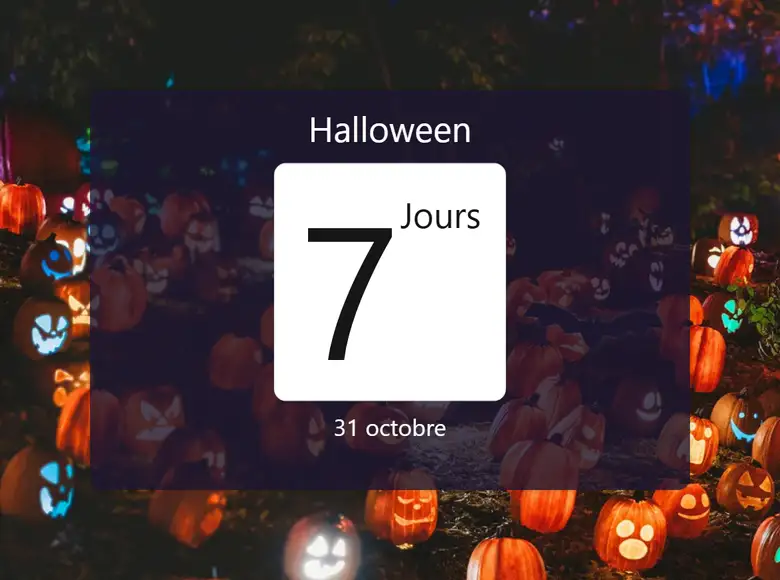
Halloween is coming

You set the date to October 31 and a seasonal background. The count goes down by one each day.

Students watch the event get closer, day after day.

A surprise on the big day

You set the date of the last day of class and put in the box a message, a picture, or a snow effect across the whole screen.

The class ends its last day on a surprise, at just the right moment.

A big-day challenge

You put a multiple-choice question in the box. When the day comes, the class decides on the answer together, then you reveal the right one.

The whole class thinks about the same question.
Your way

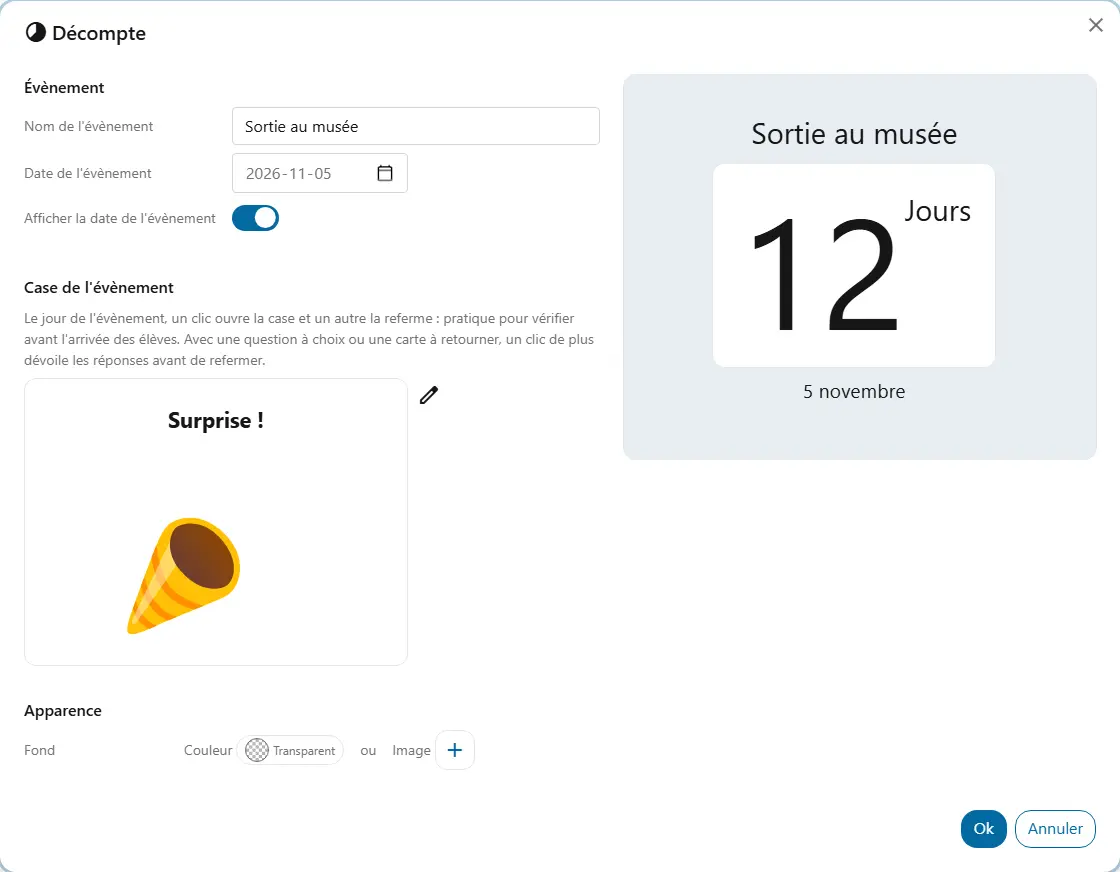
  • NameThe event's name, shown above the count: “Halloween”, “Museum trip”.
  • Event dateThe widget shows the number of days left. Once the event has passed, the count stays at zero.
  • BackgroundThe background colour shared by all widgets and, if you like, a picture from your library that covers the whole widget.
  • Show the event dateShows or hides the event date under the count.
  • Event boxOptional. When the day comes, it reveals content: text, image, animation, video, link, multiple-choice question, flip card or an effect such as snow. An image or animation plays in the widget, across the whole screen or both; an effect plays across the whole screen.

Good to know

  • When the day comes, you can open the box before students arrive to check it: another click closes it again.
  • With a multiple-choice question or a flip card, one more click reveals the answers before the box closes.
  • After the event, the box's content stays until you remove it. The countdown does not start over by itself the following year.

Ready to try Cooperius?

Sign up free