
scoreboard

Scoreboard

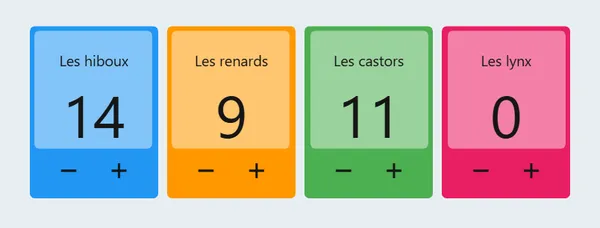
A score for each team, raised or lowered with a click, on the board the whole class sees.
In your classroom

Two teams in a review game

You pit two teams against each other and award points with a click.

Students watch the score change and stay focused on the round, without you stopping to count.

A celebration every 10 points

You set the goal to 10 and choose a sound: one point per right answer, a celebration every 10.

The class celebrates together each milestone reached.

The week or a reading challenge

You follow the teams for the week or a reading challenge, with a bigger step.

Each team sees its progress and its place.

A student keeps score

You hand the click to a student during a game.

They have a role, and the class follows along without waiting for you.
Your way

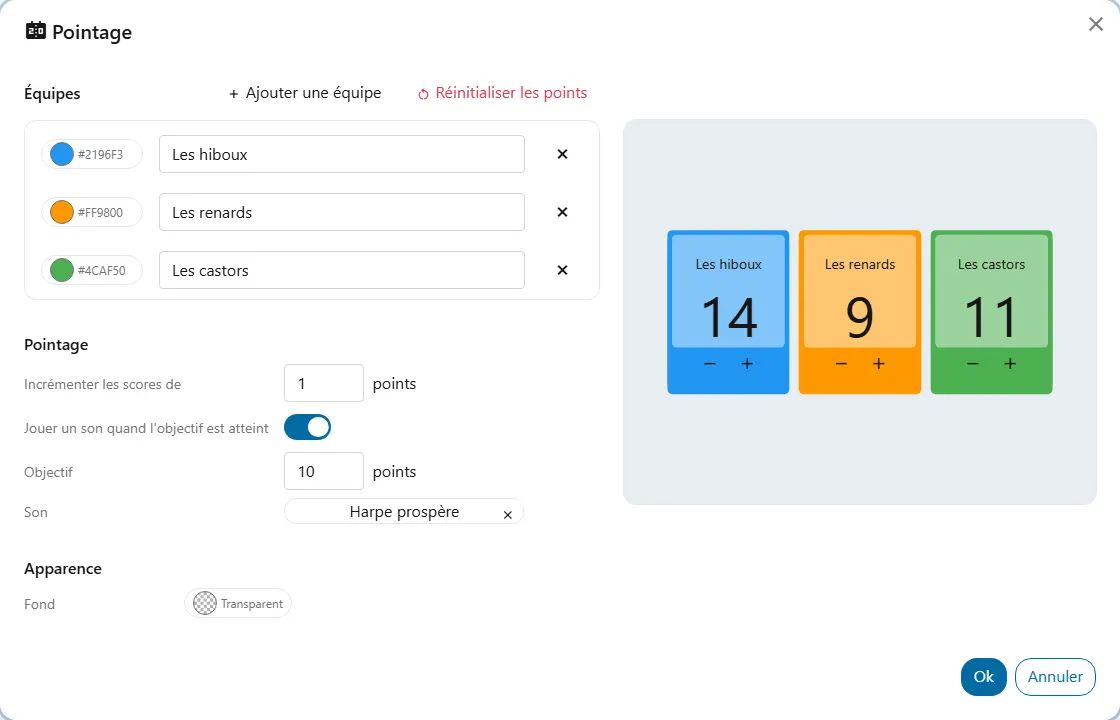
  • TeamsEach has a name and a colour; you add and remove teams.
  • StepThe points a click adds or removes. A bigger step suits a long challenge.
  • GoalAt every multiple of the goal, a sound can play.
  • Goal soundA sound from your library.
  • Reset pointsFrom the settings panel: every team's score goes back to zero.
  • BackgroundThe background colour shared by all widgets, under “Appearance”.

Good to know

  • Teams can be named and coloured freely, and the text stays readable on their colour. Renaming or recolouring a team keeps its score.
  • The goal only plays a sound, on the device that scores the point, at every multiple of the goal. Turning it on without choosing a sound is flagged in the settings.
  • Anyone who can see the board can score points, but only the action of an owner or contributor of the screen is kept for the board; the others last for the visit.

Ready to try Cooperius?

Sign up free