
hourglass_top

Timer

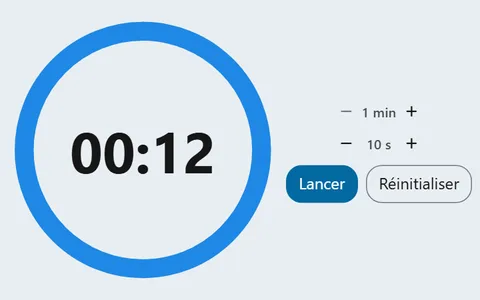
A countdown the whole class can watch run down, and a signal that says when time is up.
In your classroom

Silent reading

You set the duration to 10 minutes and project the timer for silent reading.

Students manage their time themselves, without asking you.

Workshop rotations

You time each workshop and choose an end sound.

The class changes stations at the signal, without you interrupting the teams.

The last seconds

You turn on the warning for the end.

Students see the end coming and wrap up without rushing.

A one-minute challenge

You start a one-minute countdown for a review game.

The ticking clock keeps the class on its toes.
Your way

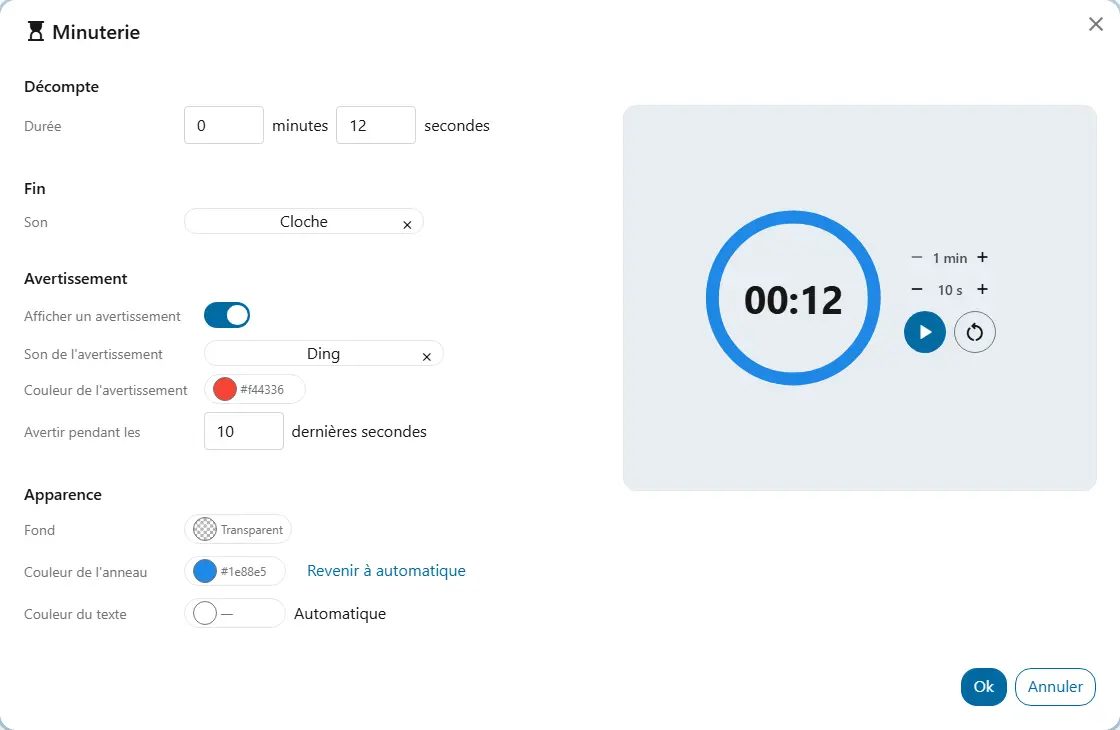
  • DurationThe time to count down, up to 99 min 59 s. For example, 10 minutes for silent reading.
  • End soundA sound from your library that plays when time is up.
  • Show a warningThe timer changes colour for the last seconds; the next three settings appear.
  • Warning soundAn optional sound from your library for the warning.
  • Warning colourThe colour the digits take during the warning.
  • Warn during the last secondsWhen the warning starts. At 30, it starts with 30 seconds left.
  • BackgroundThe background colour shared by all widgets, under “Appearance”.

Good to know

  • The countdown keeps running if you change screens on the board, and the end sound plays wherever you are in the platform.
  • The countdown stops if you reload the page.
  • With no sound chosen, the end shows on the screen. The warning does not rely on colour alone.

Ready to try Cooperius?

Sign up free