
animation

Animation

Bring the board to life: snow, fireflies or an animated emoji, in a frame or across the whole screen.

In your classroom

The season or the day's celebration

You place an effect in a frame: snow in December, fireflies on an autumn evening.

Students walk into a classroom that feels alive.

Celebrate a success

You start the effect across the whole screen, then turn it off with a click.

The class lives the moment together.

An emoji next to the instructions

You put an animated emoji next to the instructions.

The eye settles on it without stealing attention from the rest.
Your way

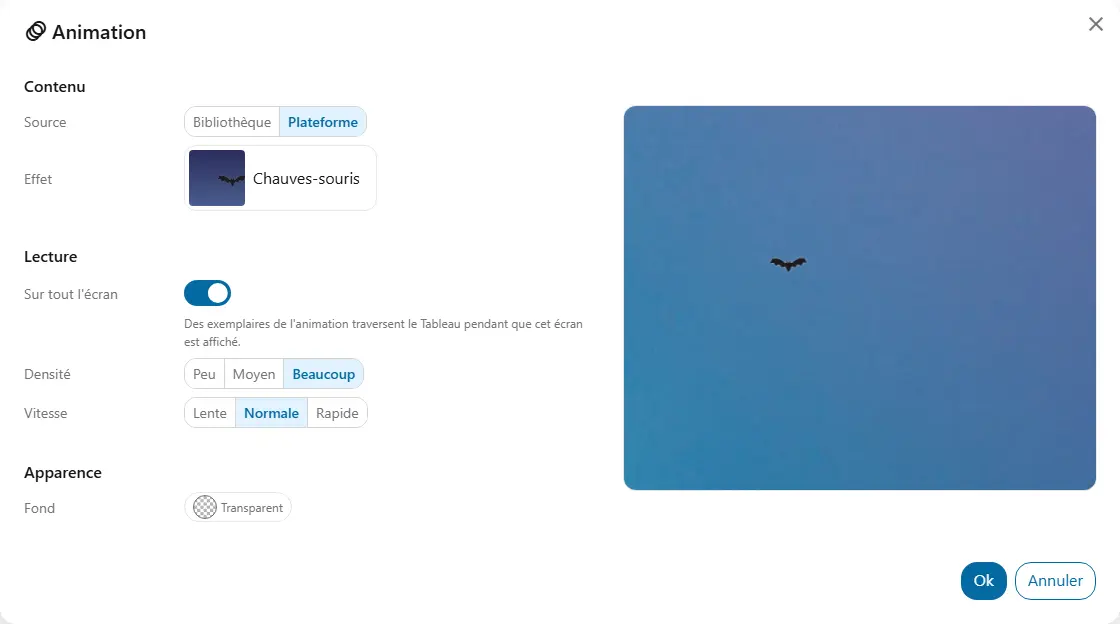
  • SourceThe animation can come from one of your libraries or from the community's. You can also pick a ready-made animation provided by the platform.
  • AnimationAn animation from your library, an animated emoji for example.
  • EffectA platform effect, with the Platform source.
  • Across the screenWhen on, the animation or effect crosses the whole screen, over the widgets, instead of playing in the frame.
  • DensityFew, some or many items of the selected animation on screen.
  • SpeedSlow, normal or fast movement of the animations. For a library animation, only with “Across the screen”.
  • BackgroundA dark background makes snow or fog stand out.

Good to know

  • Across the screen, the effect never blocks the click.
  • A click on the widget pauses the animation and another resumes it, whether it comes from the library or the platform.
  • When the device asks to reduce motion, nothing moves.
  • Light effects, like snow or fog, show up better on a dark background.

Ready to try Cooperius?

Sign up free