
checklist

Tasks

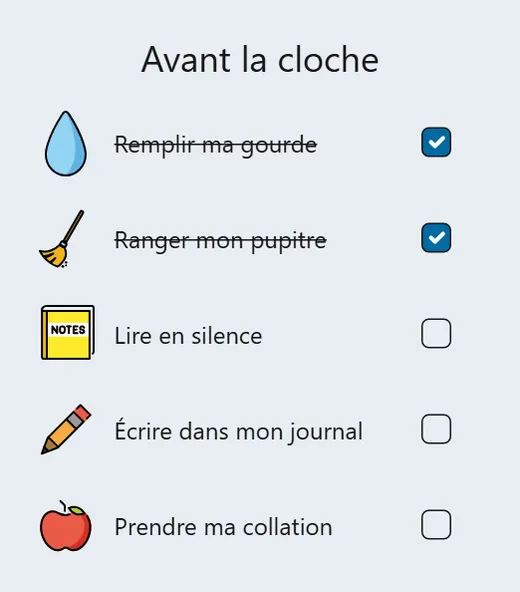
The list of what is left to do, in front of the whole class, ticked off as you go.
In your classroom

The day's work plan

You display the day's work plan and tick it off with the class as you go.

Students know where they are and what is left.

The morning routine in pictures

You give each step of the morning routine an icon.

The youngest follow it on their own, without waiting for your instruction.

A team project

You break the project down into steps, one task each.

The team sees what is left without interrupting you.
Your way

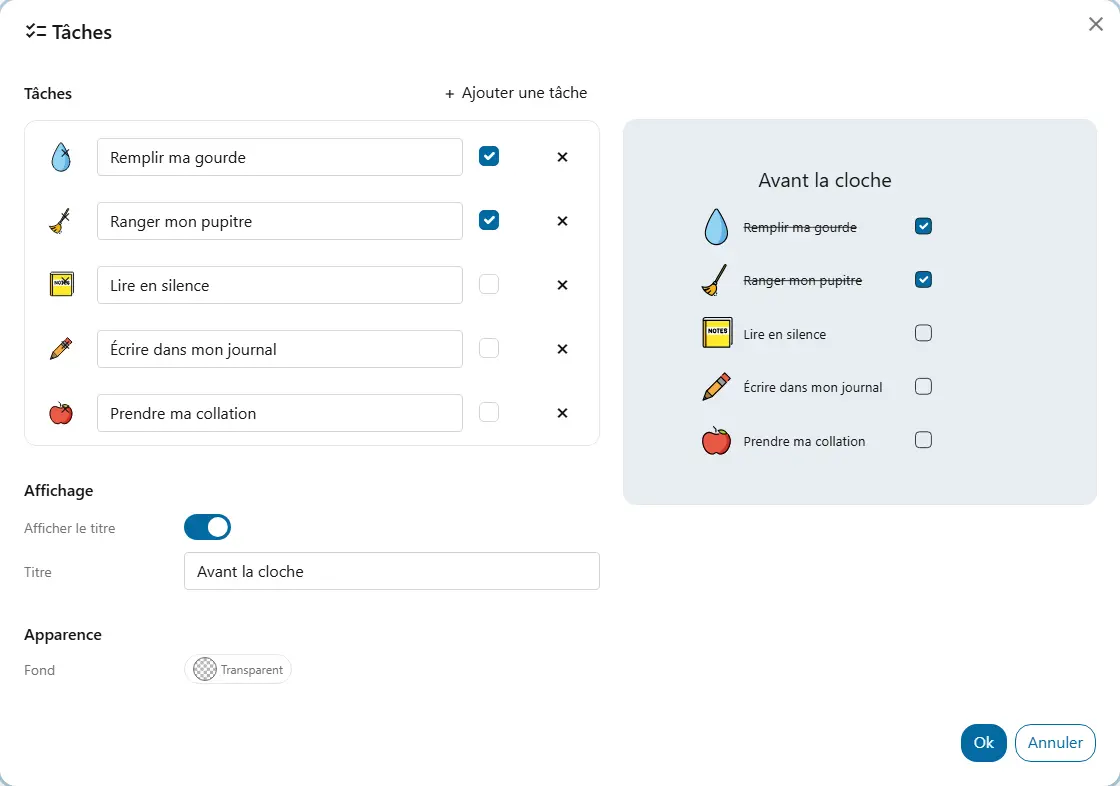
  • TitleShown or not. For example, “My work plan”.
  • TasksAt least one. Each task has a name, an optional icon from your libraries and, if you like, a tick from the start.
  • BackgroundThe background colour shared by all widgets, under “Appearance”.

Good to know

  • A task without a name is flagged in the panel.
  • Anyone who can see the board can tick a task, but only a tick from an owner or contributor of the screen is kept for the board; the others last for the visit.
  • If the list is longer than the frame, it scrolls.
  • If an icon is deleted from your library, the task stays in the list.

Ready to try Cooperius?

Sign up free